AI filmmaking tools are not one category. Some help you plan a story, some turn boards into moving images, some generate footage from prompts, and some sit in the edit and finishing stages where the film is assembled. Lists that rank them against each other usually compare tools that were never meant to compete.
This guide sorts AI filmmaking tools by pipeline stage instead. It names nine, each described only from its own official page, with no prices and no test results: we did not benchmark anything, and features change, so treat each row as a prompt to read the live page. It also adds a short test for keeping artists in charge of the result.
Key takeaways
- AI filmmaking tools work best when matched to a pipeline stage: planning, storyboards and previs, generation, node-based workflows, and editing and finishing.
- No single tool in this guide covers every stage well, and most teams link two to four tools into one pipeline.
- Free options exist at some stages: Storyboarder is free and open source, and DaVinci Resolve has a free version.
- Generation tools raise questions that planning tools do not: what the model was trained on, who owns the output, and whether characters stay consistent from shot to shot.
- An artist-led pipeline records who decided what, using licensed inputs and named authors, rather than accepting whatever a model returns.
- Review is a separate step from generation, and notes on specific frames are what keep a project on track.
Table of contents
- How to read a list of AI filmmaking tools
- AI filmmaking tools at a glance, by stage
- Script and planning: Celtx
- Storyboard and previs: Storyboarder, LTX Studio and BigIdea
- Image and video generation: Runway, Google Veo and Moonvalley
- Node-based workflows: ComfyUI
- Editing, VFX and finishing: DaVinci Resolve and Topaz Video
- A test for keeping artists in charge
- How to choose AI filmmaking tools
- The bottom line on AI filmmaking tools
- Frequently asked questions
How to read a list of AI filmmaking tools
Start with the pipeline, not the product. A film moves from idea to script, from script to boards and previsualization, from boards to shots, from shots to an edit, and from an edit to a finished master. A tool that is strong at one of those moves may be irrelevant at another.
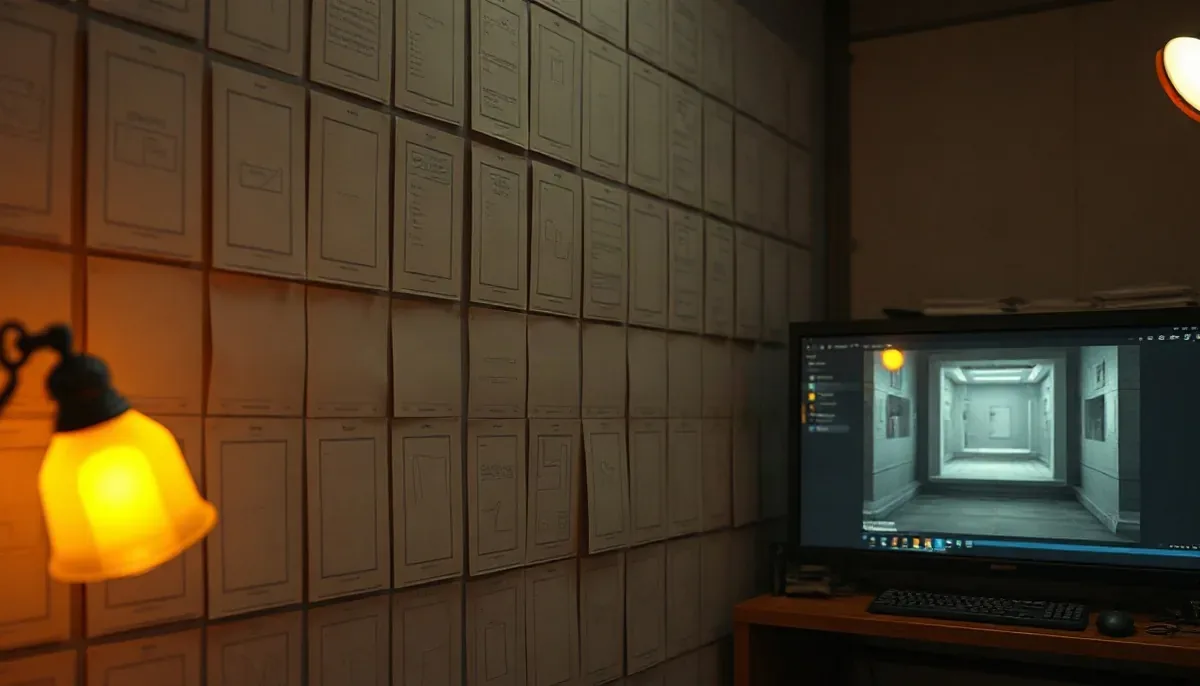
Wikipedia's storyboard article describes the board as simple illustrations or images displayed in sequence to pre-visualize a motion picture, animation or other sequence, and its previsualization article describes previs as visualizing scenes before physical production, to plan camera angles, staging and visual effects. Both exist to make decisions cheaply before shooting. Text-to-video models, by contrast, are described there as generative AI that takes a natural-language description as input and produces a video. They are a different step with different risks.
This is also why we frame the field the way CineVision does, through Human Generative Workflows. In an HGW, the artist leads and the models serve the director's vision. If you want that idea explained first, read our explainer on what Human Generative Workflows are. For the bigger picture of how AI fits into production, see AI filmmaking.
AI filmmaking tools at a glance, by stage
Every cell below comes from the tool's own page, read for this guide. "Check before you commit" is a prompt, not a verdict.
| Stage | Tool | What its own page says | Check before you commit |
|---|---|---|---|
| Script and planning | Celtx | Screenwriting, story development, storyboard, breakdown, shot list and scheduling tools | Which features are on the free and paid tiers |
| Storyboard | Storyboarder | Free, open source, for Mac, Windows and Linux; draw boards and make animatics | It is a drawing tool, not a generator |
| Storyboard and generation | LTX Studio | Start from a script, concept, image or video; generates scenes and storyboards; timeline editor and sound design | Export formats and current plans |
| Generation | Runway | Cloud platform to generate and edit video, images and audio; iPhone and Android apps | Credits, plan limits and output terms |
| Generation | Google Veo | Video generation model with audio, tried in Gemini, Flow or through the Gemini API | Speech and audio sync; marked with SynthID |
| Generation | Moonvalley (Marey) | Text-to-video and image-to-video, says it is trained on licensed data | What "licensed" covers in its terms |
| Node-based workflow | ComfyUI (Comfy) | Node canvas where each model, parameter and step is visible; desktop and cloud | Setup effort and model licenses |
| Edit and finish | DaVinci Resolve | Editing, color, VFX, motion graphics and audio in one app; free version | Which AI features need the paid Studio version |
| Finishing | Topaz Video | Upscales archival video to 4K, denoises, adjusts frame rate; Mac and Windows | Artifacts on your footage |
Script and planning: Celtx
This stage is where most AI projects should start, and it is the one least dependent on generation. Celtx describes itself, on its homepage, as screen writing software for film, TV and interactive media with story development tools such as a beat sheet and storyboard, plus pre-production tools for script breakdown, shot lists, scheduling and budgets. It is a conventional planning suite rather than a generator, which is the point: a clear script and shot list make every later tool more useful.
Whatever you use later, a clear script and a shot plan make every model run more useful, so finish this stage first.
Storyboard and previs: Storyboarder, LTX Studio and BigIdea
The board stage is where AI can save the most iteration, because errors here cost minutes, not days.
- Storyboarder. Wonder Unit's Storyboarder page says the app is free and open source, available for Mac OS X, Windows and Linux, and lets you draw boards quickly and create animatics to show others. It is a drawing and animatic tool, so every frame is an artist's choice.
- LTX Studio. Its homepage describes an AI video production studio where you can start from a script, a concept, an image or a video. It says uploading a script generates scenes and storyboards, and it lists a timeline editor and sound design alongside text, image, audio and video-to-video generation.
- BigIdea (CineVision's). BigIdea takes a project from script to storyboard to pre-visualization to render, and you can enter at any stage. It supports prompt-based refinement of characters, locations and props, a continuity process for consistent characters and environments, and prompted VFX on your own footage. We list it here because it is our product, so read it as one option among the others.
For a deeper look at the previs step on its own, see our guide to AI previs.
Image and video generation: Runway, Google Veo and Moonvalley
Generation tools create new footage from prompts and references. They are the best-known AI filmmaking tools and the most variable, so the questions to ask are about control, consistency, and what the output can be used for.
Runway. Its homepage describes Runway Creative as an all-in-one, cloud-based platform for generating and editing video, images and audio in one workspace, with iPhone and Android apps. It also says it offers an API platform for developers.
Google Veo. DeepMind's Veo page describes Veo 3.1 as a video generation model with audio, designed for filmmakers and storytellers, which you can try in Gemini or Flow or build with through the Gemini API. The page states that videos made with Veo are marked with SynthID, and its limitations note says natural, consistent spoken audio, especially for shorter speech segments, remains an area of active development. That is worth reading as a general caution about dialogue in generated video.
Moonvalley. The company's site describes Marey as generating image-to-video and text-to-video, with camera control, motion transfer and trajectory control. It says the model is trained on licensed data and is commercially safe. A claim like that is a reason to read the terms, not a reason to skip them.
For a wider comparison of the generator category, see our guide to the best AI video generators.
Node-based workflows: ComfyUI
Prompt boxes hide the pipeline. Node tools expose it. Comfy's homepage describes ComfyUI as a canvas where you connect nodes, with every model, parameter and processing step visible and adjustable, and it offers a desktop download, a cloud version and an API for running workflows from your own app.
That visibility suits teams who need repeatable results and a record of what was done. It also asks for more setup than a hosted generator. Weigh that trade-off against how repeatable you need the results to be.
Editing, VFX and finishing: DaVinci Resolve and Topaz Video
AI footage still has to be edited, graded and mastered. Two tools show how AI is arriving at the finishing end.
DaVinci Resolve. Blackmagic Design's Resolve page describes one application for editing, color correction, visual effects, motion graphics and audio post. It lists a free version and a paid Studio version. Studio adds the DaVinci AI Neural Engine and text-based editing, so AI features are not all in the free tier.
Topaz Video. Its product page describes AI video enhancement software that can denoise low-light footage, recover and upscale old archival videos to 4K, restore focus and adjust frame rate by creating new frames, for Mac and Windows. Enhancement like this can change detail, so inspect the output at full size before delivery.
For a broader view of the editing and finishing stack, see our guide to post production software. Review belongs here too. Once a shot is generated, someone has to compare it against the intended version and write a note at the exact frame. CineVision's PeakView is a review workspace for that job, with two versions side by side, frame-accurate sync and timecoded notes. It does not generate or edit.
A test for keeping artists in charge
Any of these tools can be used in an artist-led way or a machine-led way. A few questions separate the two:
- Whose inputs went in? Are references, scripts and footage licensed or owned by the production?
- Who made each decision? Can you point to the person who chose a shot, a performance or a revision?
- Is the pipeline recorded? Are prompts, settings, versions and approvals saved so the work can be repeated and explained?
- Can the output be defended? Do you know what rights and terms apply to what you deliver? This is not legal advice; ask a qualified professional for your situation.
These four questions line up with the pillars CineVision describes for HGW: licensed inputs, named authors, recorded decisions and copyrightable output. They are also useful for any buyer comparing tools, whatever the pipeline.
How to choose AI filmmaking tools
Work backward from the stage that slows you down most.
| If you need to... | Look first at |
|---|---|
| Plan a script, shots and schedule | A planning suite such as Celtx |
| Test a visual idea fast | Storyboard or previs tools, including BigIdea or LTX Studio |
| Generate shots from prompts and references | A generation platform such as Runway, Veo or Marey |
| Build repeatable, inspectable pipelines | A node-based tool such as ComfyUI |
| Assemble, grade and master | An editor such as DaVinci Resolve |
| Enhance or upscale existing footage | A finishing tool such as Topaz Video |
Then test the shortlist on one real scene. Time how long it takes to get an approved shot, not a pretty demo, and check watermarks, export limits, commercial terms and consistency across three or more shots.
The bottom line on AI filmmaking tools
AI filmmaking tools work when each one has a clear job and a person owns the decisions. Plan first, test generation on a short scene, keep the pipeline recorded, and review every shot against the intent before it reaches the edit.
If your starting point is a script and you want to move to storyboards and previs, see how BigIdea works.