Post production software is the set of tools a team uses after the camera stops: cutting the story, grading the color, compositing effects, mixing the sound, managing the files and collecting approvals. People often search for it as if it were one product. In practice it is a stack, and the real question is which tool belongs at each stage.
This guide maps the categories, shows what some well-known tools say about themselves on their own official pages, lists the free options, and gives a simple way to choose. We name tools as examples, not rankings, and we leave out prices because they change.
Key takeaways
- Post-production covers every stage after principal photography, so post production software is a stack of tools rather than a single program.
- The main categories are editing, color grading, VFX and compositing, audio, asset management, and review and approval.
- Some programs combine several categories: DaVinci Resolve describes editing, color, VFX, motion graphics and audio post in one application.
- Free options exist: DaVinci Resolve has a free version, and Kdenlive and Shotcut are free and open source.
- Choose by the stage that costs you the most time, then add tools only where your first pick leaves a gap.
- Review is a separate stage from editing: notes tied to exact frames are what move a cut toward lock.
Table of contents
- What post production software covers
- The post production software stack by category
- Editing software: where the cut gets built
- Color, VFX and audio tools
- Asset management and review: the stages teams forget
- Free post production software
- What does a post-production editor do?
- How to choose post production software
- Where reformatting fits
- The bottom line on post production software
- Frequently asked questions
What post production software covers
Wikipedia defines post-production as all stages of production that occur after principal photography or recording of individual program segments. It lists the typical processes: editing the content, writing, recording and editing the soundtrack, adding visual effects that are composited into the frame, sound design and mixing, color grading, and subtitling, captioning or dubbing.
The same page notes that once the production team is satisfied with the picture editing, the cut is said to be locked. At that point the turnover begins: the picture is prepared for lab and color finishing, and the sound is spotted and handed to the composer and sound designers. That handoff is the best way to think about the software stack. Some tools build the cut, and others take a stable cut and finish it.
Wikipedia's film editing article describes the editing step as the creative and technical part of post-production in which shots are combined into sequences that create a finished motion picture. Everything else in the stack either feeds that step or finishes its output.
The post production software stack by category
The table below sorts the work into stages. The examples come from each vendor's own page, which we read before writing, and they are examples of a category, not a ranking.
| Stage | The job | Example tools described on their own pages |
|---|---|---|
| Editing | Select shots, order scenes, shape pace | DaVinci Resolve, Final Cut Pro, Kdenlive, Shotcut |
| Color | Match shots and set the look | DaVinci Resolve |
| VFX and compositing | Combine visual elements from separate sources | Nuke family, DaVinci Resolve (Fusion) |
| Audio | Edit, clean, mix and master the soundtrack | Fairlight in DaVinci Resolve, Audacity |
| Asset management | Store, tag and find media | Iconik, Kdenlive bins and tags |
| Review and approval | Collect timecoded notes and sign-off | Dedicated review tools; PeakView is CineVision's |
Avid's and Adobe's product pages returned access errors when we tried to read them, so we do not describe Media Composer, Pro Tools or Premiere Pro here. All three are widely used, and you should read their current feature lists on the vendors' own sites before comparing.
Editing software: where the cut gets built
The editing application is the center of the stack, because every other tool either feeds it or works from its output. Wikipedia describes the usual editing process as three stages: the editor's cut (also called the assembly edit or rough cut), the director's cut and the final cut. The editor's main task in the first pass is to arrange the scenes in story order, since most films are not shot in script order.
A few editors, as described by their makers:
- DaVinci Resolve. Blackmagic Design's product page calls it a single application that combines editing, color correction, visual effects, motion graphics and audio post production. It also lists a free version and a paid Studio version.
- Final Cut Pro. Apple's Final Cut Pro page describes an editor for Mac and iPad with a Magnetic Timeline, Magnetic Mask, automatic captions from spoken audio, and Transcript Search for finding spoken phrases. Apple's page also describes a free trial of its Creator Studio bundle, which includes Final Cut Pro.
- Kdenlive. Its own site describes a free and open source editor for Linux, Windows, macOS and BSD, with multicam and three-point editing, nested sequences and proxies for smoother playback.
- Shotcut. Its homepage describes a free, open source, cross-platform editor for Windows, Mac and Linux that edits natively on the timeline without requiring an import step.
Editors differ in workflow more than in raw capability. A magnetic timeline, a node-based color page and a track-based timeline each suit different habits. If your editors already know one tool well, retraining cost usually outweighs any feature gap.
Color, VFX and audio tools
Once the picture is stable, three finishing disciplines run in parallel, and many teams use specialist tools for each.
Color. Wikipedia describes color grading as the process of altering the appearance of an image for presentation in different environments on different devices, adjusting attributes such as contrast, color, saturation and white balance. Blackmagic Design says the free version of Resolve includes HDR grading. Kdenlive's page lists LUT support and scopes such as the histogram, vectorscope, RGB parade and waveform.
VFX and compositing. Wikipedia defines compositing as combining visual elements from separate sources into single images, often to create the illusion that all the elements are parts of the same scene. Foundry's Nuke page describes the Nuke family as an industry-standard compositing toolset and says the family supports compositing, VFX editorial, conform and review workflows. Blackmagic Design describes Fusion, built into Resolve, as a node-based workflow with hundreds of 2D and 3D tools.
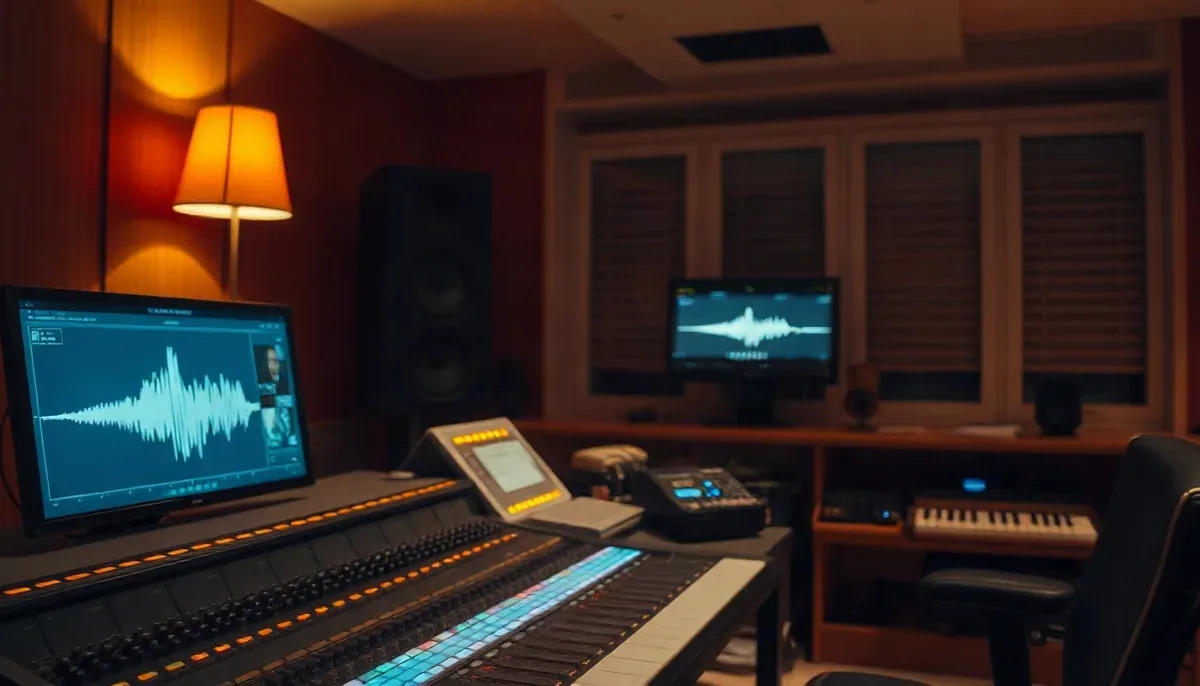
Audio. Blackmagic Design's Fairlight page says Fairlight is audio post production software integrated with picture editing, covering recording, editing, mixing, dialog replacement, repair and mastering. For stand-alone audio work, the Audacity site describes free software for recording and editing audio on Windows, macOS and Linux.
AI features are arriving in these tools. Blackmagic Design lists a DaVinci AI Neural Engine in Studio for functions such as object detection, smart reframing and super scale. Foundry's page promotes AI-powered roto. These speed up specific jobs. For how they fit into a full pipeline, see our overview of the AI VFX and post-production pipeline.
Asset management and review: the stages teams forget
Software for the stages around the edit often decides whether a team runs smoothly. Two matter most.
Asset management. Wikipedia's digital asset management article lists media asset management systems as the category that handles audiovisual assets such as audio, video and still images. A cloud product such as Iconik describes itself, on its homepage, as a media asset management platform with AI metatagging, search and review. If you are deciding whether you need one, our guide to media asset management covers the trade-offs.
Review and approval. Review is where versions pile up. A director wants to see what changed since the last cut, a colorist needs a note on one frame, and a client approves by email. Dedicated review tools exist for this, and our guide to video review software compares the category. CineVision's own PeakView is one of them: a review and QA workspace that plays two versions side by side, synced frame-accurately, with timecoded notes and exports of those notes with timecodes or as JSON for editorial pipelines. It is not an editor. It exists so the notes that decide the next cut are specific and traceable.
Free post production software
"Free" can mean a free version, an open source project, or a free trial, and the differences matter. Based on the pages above:
| Tool | What the free option is | Covers |
|---|---|---|
| DaVinci Resolve | Free version; Studio is separate and paid | Editing, color, VFX, audio |
| Kdenlive | Free and open source | Editing, effects, basic color, subtitles |
| Shotcut | Free and open source | Editing, filters, capture |
| Audacity | Free software | Audio recording and editing |
| Final Cut Pro | Free trial | Editing, captions, search |
Blackmagic Design says the free Resolve works with virtually all 8-bit video formats at up to 60fps in resolutions as high as Ultra HD 3840 x 2160. The same page says Studio adds the DaVinci AI Neural Engine, text-based editing, magic mask and 10-bit video up to 120 frames per second. The free tier is substantial, but check which features you rely on before you start a long project.
Before using any free tool on client work, read its current license and any export terms. For open source editors, test your delivery codecs early.
What does a post-production editor do?
The editor sits at the center of the stack. By Wikipedia's account, the film editor works with raw footage to select, process and structure the images and sound into a finished form. In the three-stage process, the editor builds the first assembly alone, then reworks the scenes with the director, reordering, removing and shortening them. Wikipedia adds that a studio usually has the final say if the director lacks contractual control over the final cut.
Assistant editors support that work. Wikipedia quotes the Motion Picture Editors Guild definition of an assistant editor as a person assigned to assist an editor, working under the editor's direction. It adds that when editing finishes, the assistants prepare the lists and instructions that tell the picture and sound finishers how to put the edit back together using the high-quality original elements. That offline-to-online handoff is why tools need to export clean decision lists and consistent media names.
How to choose post production software
Pick tools by workflow, not by feature count. A short process:
- Name the stage that costs the most time. If it is cutting interviews, start with editing and transcripts. If it is color or sound, look at finishing tools.
- List the formats you must deliver. Check codecs, frame rates and resolution in the vendor's spec page.
- Count the people. Solo work can live inside one application. Teams need shared projects, naming rules and a review tool.
- Plan for handoffs. Know how a locked cut moves to color, VFX and sound. Our guide to the post-production workflow walks through those handoffs.
- Test on one real project. Time how long it takes to reach an approved result, not how long a demo takes.
| If your main need is... | Look first at |
|---|---|
| Cutting a story from raw footage | An editor such as Resolve, Final Cut Pro, Kdenlive or Shotcut |
| Polishing the look | A color page or specialist grading tool |
| Complex effects shots | A compositing tool such as Nuke or Fusion |
| Clean, mixed sound | A digital audio workstation or Fairlight |
| Finding clips across a growing library | A media asset management system |
| Getting precise, traceable notes | A review tool such as PeakView |
Where reformatting fits
One stage appears after the picture is finished: making the master fit every screen. Delivering a horizontal master to vertical platforms is a new job in many pipelines, and a simple crop can cut off the subject. CineVision's ReFrame is built for that step. It converts between aspect ratios with subject tracking and upscales up to 4K, so one master can serve many formats. It is a conversion tool, not an editor.
The bottom line on post production software
Post production software is a stack with a clear order: build the cut, lock it, then finish picture and sound, and review at every step. Choose by the stage that slows your team most, keep the stack small, and expect a review tool to matter more as your team grows.
If notes and version comparison are your bottleneck, see how PeakView handles review.