Typing a sentence and getting back a video still feels like magic – but doing it well takes more than a good prompt. Here is how text-to-video AI actually works, and how to get usable results.
Text-to-video AI turns a written description into moving footage. You write what you want to see; the model generates it. The technology has improved dramatically, but the gap between a throwaway clip and a usable scene comes down to how you prompt, which tool you choose, and whether that tool can carry an idea beyond a few seconds.
This guide walks through how text-to-video works, how to write prompts that produce coherent results, the free tools worth starting with, and how to move from a single generated clip to a complete piece.
How Text-to-Video AI Works
Text-to-video AI interprets your written prompt and generates matching footage frame by frame, guided by everything it learned from millions of videos.
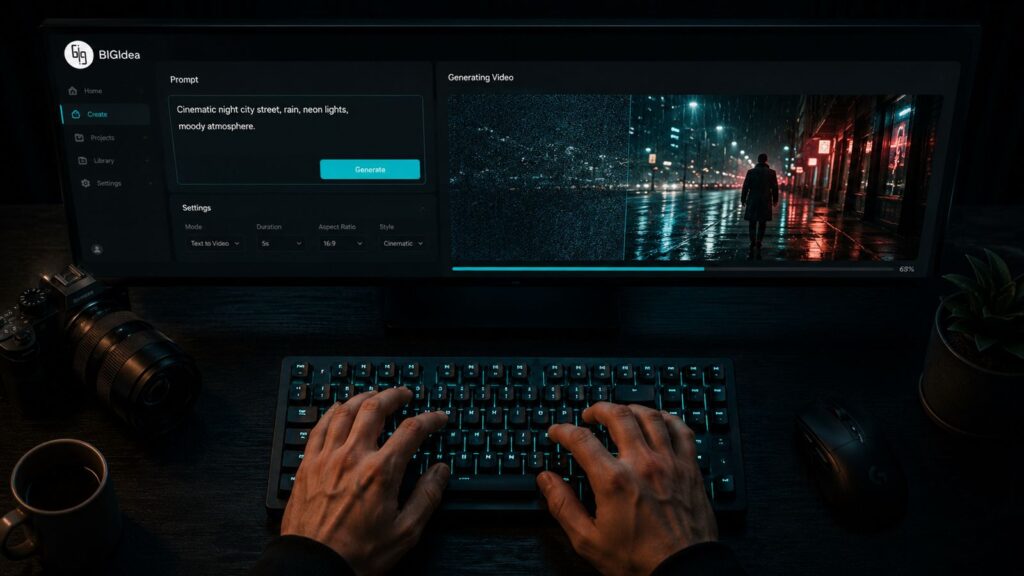
You provide a description – a subject, an action, a style, a mood – and the model produces video that matches it. The more precisely you describe what matters (framing, motion, lighting, pacing), the closer the output lands to your intent.
The model is not retrieving existing clips; it is generating new frames that fit your prompt. That is why two similar prompts can produce different results, and why prompt craft matters.
Writing Prompts That Actually Work
A good text-to-video prompt describes not just the subject, but the shot – framing, motion, lighting, and mood.
Vague prompts produce vague video. Instead of “a city,” describe “a slow aerial push over a neon-lit city at night, rain-slicked streets reflecting the signs.” Specify the camera move, the lighting, and the atmosphere, not just the object.
Iterate deliberately: change one variable at a time so you learn what each adjustment does. Prompting is a skill, and small, controlled changes beat rewriting the whole prompt each attempt.
Free Tools to Start With
You can learn text-to-video on free tiers before committing – but expect limits on length, resolution, and commercial use.
Several tools offer free text-to-video generation suitable for learning the craft: good for short clips, capped for production. They are the right place to develop your prompting before investing in a paid workflow.
CineVision’s BigIdea lets you start from text for free and then carry the idea into a complete, production-grade piece on the same platform – so the prompting skills you build transfer directly to finished work.
From One Clip to a Complete Piece
Generating a single clip from text is the easy part. Turning it into a coherent, complete video is where most tools stop and the real work begins.
A great five-second generation is a starting point, not a finished video. The hard part is extending the idea across scenes, keeping style and characters consistent, and adding coherent audio and pacing – the difference between a prompt experiment and a deliverable.
Production-first tools are built for that progression. BigIdea is designed to take a text prompt all the way to a complete piece, rather than leaving you to stitch clips together by hand.
| Related reading on CineVision |
| Turn a sentence into a finished scene. See how BigIdea takes text all the way to screen. Explore CineVision BigIdea. |