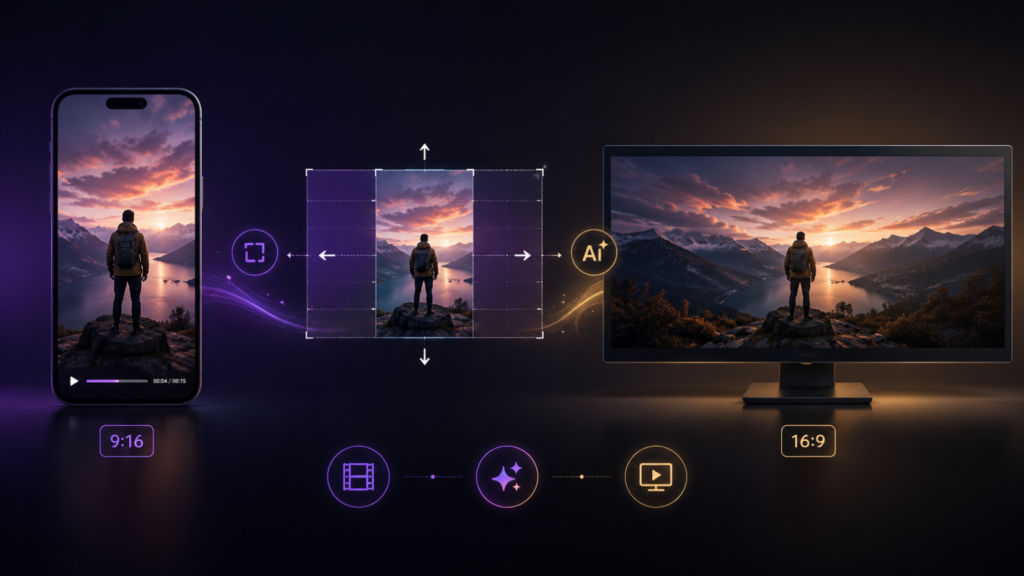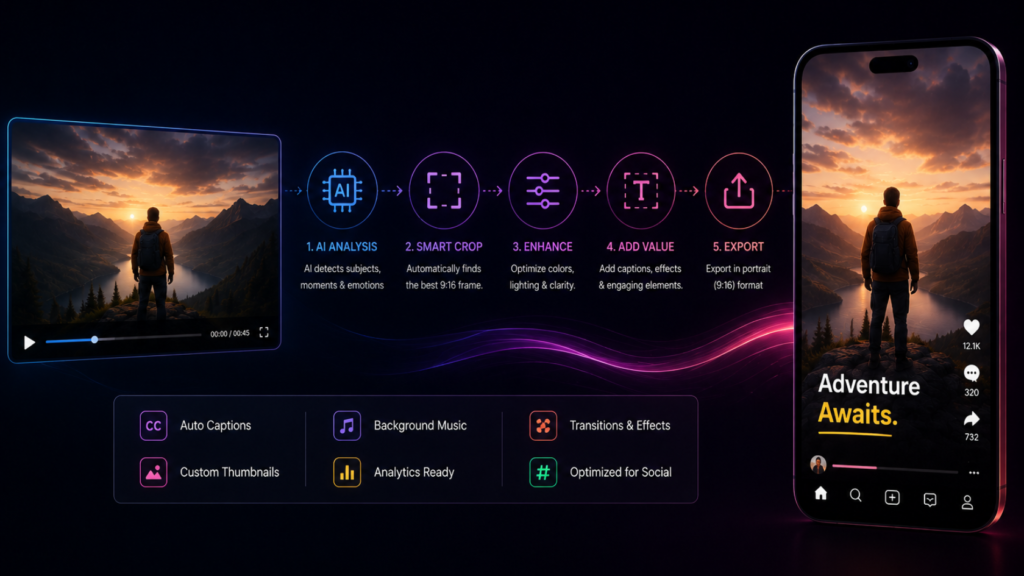
Landscape and portrait are the same distinction as horizontal and vertical, just described in photography terms rather than video terms – and the workflow to convert landscape video to portrait runs into exactly the same problem: a wide frame doesn’t naturally contain enough vertical picture information to fill a tall one. Whatever tool or process you use has to solve that gap somehow, and how it solves it determines whether the result looks intentional or obviously converted.
Step One: Decide What the Frame Actually Needs to Show
Before any conversion happens, the real question is what has to remain visible in the portrait version. A single speaker needs to stay centered and legible. A two-person conversation needs both people identifiable, even if that means the portrait frame can’t show them side by side the way the landscape original did. A product shot needs the product itself to stay in frame, not just whatever happened to be in the center of the original composition. This decision should happen before conversion, not be left entirely to an automated crop.
Step Two: Choose Crop, Pan, or Reconstruct
Once you know what needs to stay visible, there are three practical approaches. A static crop keeps one section of the frame throughout the clip – simple, but rigid if the subject moves. A pan-and-scan approach moves the crop window across the frame over time to follow action – better for motion, but can look mechanical if the movement isn’t smooth. Frame reconstruction – using AI to understand the scene and generate a new portrait composition, including new background content beyond what the landscape frame captured – produces the most natural result, particularly for anything more complex than a single static subject.
Step Three: Handle Multi-Subject and Complex Shots Separately
Landscape footage with two or more subjects, on-screen graphics, or background elements that matter to the story cannot be well-served by a simple crop or pan – there is no single portrait-shaped window that keeps everyone and everything relevant in frame at once. This is where reconstruction-based conversion earns its cost: it can generate a taller frame that includes reworked composition rather than forcing a choice about who gets cropped out. This exact problem – and the reasoning behind solving it through reconstruction rather than cropping – is covered in more depth in how AI converts horizontal video to vertical without cropping.
Step Four: Check Continuity Across Cuts
A single reframed shot is only half the workflow – most real footage has multiple cuts, and the portrait conversion needs to feel consistent scene to scene, not like each cut was reframed independently with a different crop logic. Watch for jarring position jumps between cuts, inconsistent framing of the same recurring subject, and background elements that shift unnaturally shot to shot. These are the details a manual crop workflow tends to miss when working under time pressure, and they’re where automated context-aware conversion tools maintain consistency more reliably.
Step Five: Review Before Publishing
Whatever process produced the portrait conversion, review the result the way an audience will see it – full-screen, on a phone, without comparing it back to the landscape original. Small cropping errors that are barely noticeable side-by-side with the original are often much more visible when the portrait version is the only thing on screen.