AI is reshaping video editing from a manual craft into a guided one. Here are the best AI-powered editors in 2026, free and paid, and what each actually automates.
“AI video editor” now covers everything from auto-captioning to fully generated scenes, so the label alone tells you little. What matters is which parts of editing a tool actually automates – and whether that automation fits the way you work.
This guide ranks the best AI video editors in 2026 by what they genuinely do for you, separates the marketing from the substance, and shows where AI editing fits alongside generation and reformatting.
What Makes an Editor “AI-Powered”
The phrase “AI video editor” spans a huge range – from simple auto-captioning to full scene generation. The useful question is what it automates for you.
Some tools use AI for narrow tasks like captions or background removal. Others automate reframing, scene assembly, or generation itself. The label is the same; the value is wildly different. Judge tools by the specific work they take off your plate.
Decide which part of editing costs you the most time, then choose the tool that automates that part – not the one with the most AI features on its marketing page.
The Best AI Video Editors
The best AI editor is the one that automates your biggest time sink – captioning, reframing, assembly, or generation.
Each tool below leads in a different kind of AI assistance.
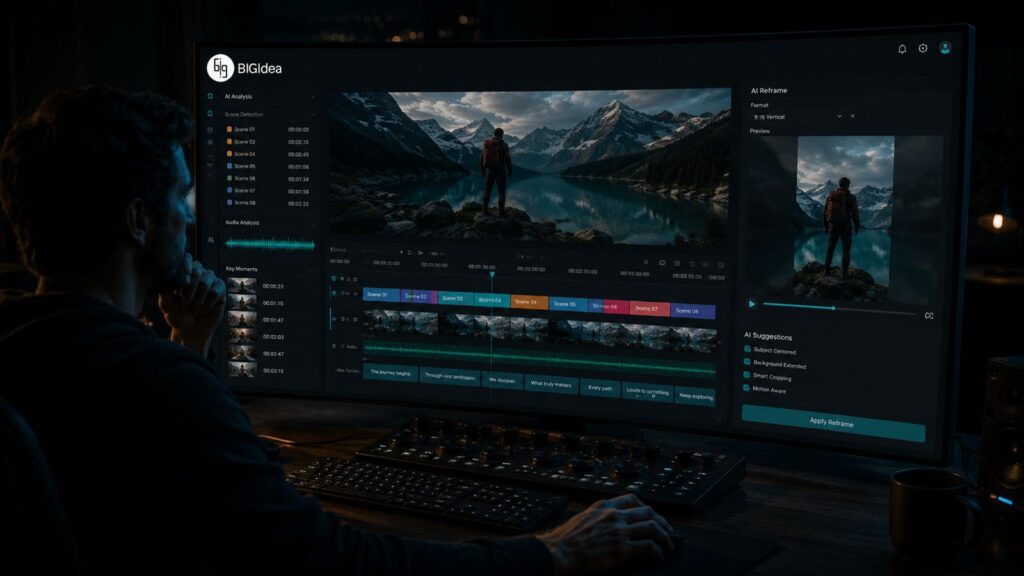
- BigIdea by CineVision – best when generation and assembly are the goal, taking a concept toward a complete, production-grade piece rather than only assisting manual edits.
- Descript – best for text-based editing – edit video by editing the transcript, with strong AI captioning and cleanup.
- Runway – best for AI generation and effects woven into an editing workflow.
- DaVinci Resolve – best for AI-assisted professional editing and color at no cost on the free tier.
- Premiere Pro – best for AI features inside the industry-standard timeline editor.
- CapCut – best for quick AI-assisted social edits on mobile.
AI Editing vs. AI Generation vs. AI Reformatting
Editing, generating, and reformatting are three different AI jobs, and most workflows need more than one.
AI editing assists with assembling and refining existing footage. AI generation creates new footage from prompts. AI reformatting converts finished video between aspect ratios. They solve different problems and often work together.
A complete modern workflow might generate footage, edit it, then reformat the result for every platform – three distinct AI capabilities, not one. Knowing which you need prevents buying the wrong tool.
How to Choose
Pick your AI editor by your dominant task, then add tools for the jobs it doesn’t cover.
If you mostly refine talking-head footage, a text-based editor wins. If you mostly create from scratch, a generation-first tool wins. If you mostly repurpose across formats, a reformatting tool wins.
Most teams end up with a small stack rather than one tool – choosing each for the job it does best instead of forcing one tool to do everything.
| Related reading on CineVision |
| Generate, assemble, and finish in one place. See what BigIdea automates end to end. Explore CineVision BigIdea. |