Aspect ratio conversion is changing a video or image from one width-to-height shape to another, for example from 16:9 to 9:16. It works by cropping, adding black bars (letterboxing or pillarboxing), stretching, or rebuilding the frame. For streaming, it means producing every shape a platform needs from one master without losing the story.
The arithmetic is simple and worth knowing by heart. The hard part is deciding what each shot should keep. This guide covers both: the formula and a table of common ratios first, then how conversion works for streaming delivery and where automated cropping goes wrong.
Key takeaways
- Aspect ratio is width divided by height; reduce the pixel dimensions by their greatest common divisor to get the ratio (1920×1080 becomes 16:9).
- When you crop from a wider ratio to a narrower one at the same height, the share of the width you keep equals the new ratio divided by the old one.
- A full-height 9:16 crop of a 16:9 frame keeps only about 31.6% of the original width.
- Streaming masters often keep the original active picture inside a fixed 16:9 container, with black bars filling the difference.
- Derive every ratio from one high-quality master, and review each converted version as its own deliverable.
Table of contents
- What is aspect ratio conversion?
- How to calculate an aspect ratio
- Common aspect ratios compared
- What each conversion loses or adds
- Aspect ratio conversion for streaming
- Why automated center-cropping fails
- What good conversion decides, shot by shot
- Planning multi-ratio delivery and QC
- Choosing a conversion approach
- Frequently asked questions
What is aspect ratio conversion?
Aspect ratio conversion takes content made for one frame shape and fits it to another. Wikipedia defines the aspect ratio of an image as “the ratio of its width to its height,” written as width:height. The same article describes the standard ways to convert between unequal ratios, and modern AI tools add a fourth:
- Crop (zoom). Enlarge the picture to fill the new frame and cut off whatever falls outside it.
- Letterbox or pillarbox. Keep the whole picture and add black bars, horizontal (letterbox) or vertical (pillarbox), to fill the gap.
- Stretch. Distort the picture to fill the frame. Almost never acceptable for film and TV.
- Reconstruct. Rebuild the frame around what matters in each shot, which is what context-aware AI conversion does.
Each method trades something. Cropping loses picture. Bars lose screen space. Stretching loses shape. Reconstruction costs more thought per shot, and that is where the quality comes from.
How to calculate an aspect ratio
To find an aspect ratio, divide both the width and the height in pixels by their greatest common divisor (GCD). The result is the simplest whole-number ratio.
- 1920×1080: the GCD is 120. 1920 ÷ 120 = 16 and 1080 ÷ 120 = 9, so the ratio is 16:9.
- 2560×1440: the GCD is 160. 2560 ÷ 160 = 16 and 1440 ÷ 160 = 9, so it is also 16:9.
- 3840×2160: the GCD is 240, which gives 16:9 again. HD, QHD and UHD share one shape at different sizes.
- 1440×1080: the GCD is 360, which gives 4:3. That is the 4:3 frame at 1080 lines, not 1920×1080.
For quick comparisons, use the decimal form: width ÷ height. 16:9 is 1.78, 4:3 is 1.33, 3:2 is 1.5 and 9:16 is 0.5625. A larger number is a wider frame.
To resize while keeping a ratio, solve for the missing side:
- New width = height × (ratio width ÷ ratio height). A 9:16 frame 1920 pixels tall is 1920 × 9 ÷ 16 = 1080 pixels wide.
- New height = width × (ratio height ÷ ratio width). A 2.39:1 picture 3840 pixels wide is 3840 ÷ 2.39, or about 1607 pixels tall.
Round to an even number of pixels, because most video codecs expect even dimensions.
Common aspect ratios compared
The same few ratios cover most film, TV, streaming and social work. This table gives each one’s decimal value, a typical pixel size and where it is used.
| Ratio | Decimal | Typical pixels | Where it is used |
|---|---|---|---|
| 2.39:1 | 2.39 | 3840×1607 (active picture) | Anamorphic “scope” cinema |
| 1.85:1 | 1.85 | 3840×2076 (active picture) | Flat widescreen cinema |
| 16:9 | 1.78 | 1920×1080, 3840×2160 | HD and UHD television, streaming, YouTube |
| 3:2 | 1.5 | 6000×4000 | Still photography |
| 4:3 | 1.33 | 640×480, 1440×1080 | Legacy standard-definition TV |
| 1:1 | 1.0 | 1080×1080 | Square social posts |
| 4:5 | 0.8 | 1080×1350 | In-feed social placements |
| 9:16 | 0.5625 | 1080×1920 | Vertical video, short-form apps, vertical streaming |
What each conversion loses or adds
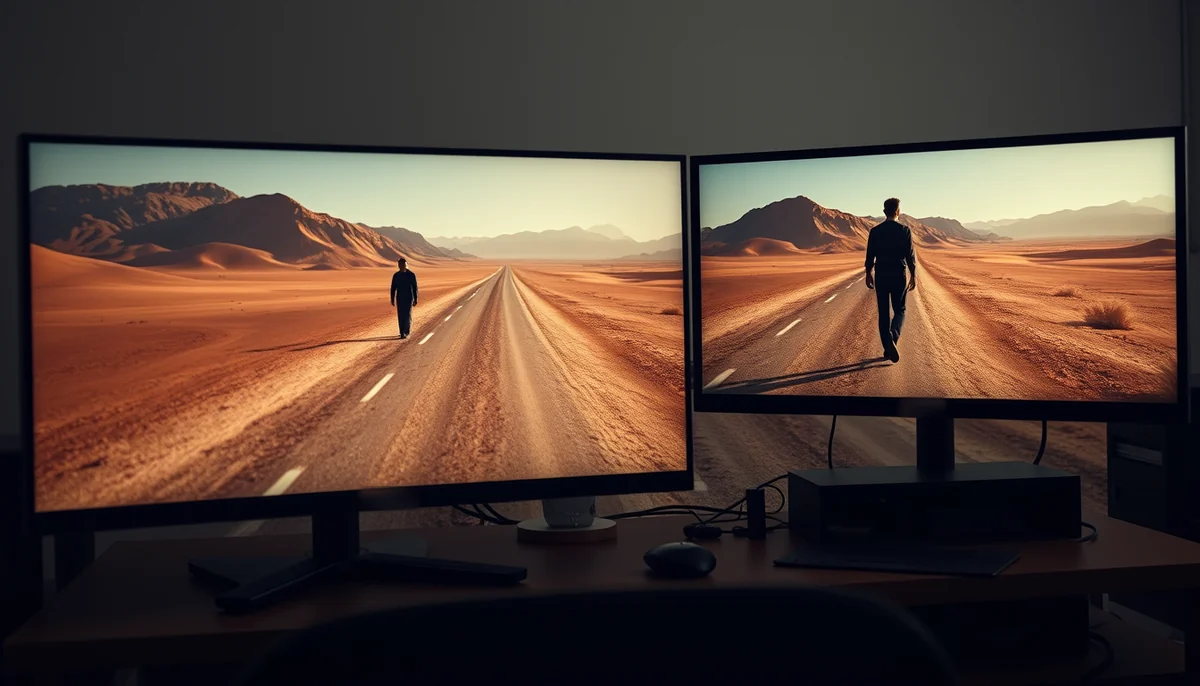
When you crop from a wider ratio to a narrower one while keeping full height, the fraction of the width you keep is simply new ratio ÷ old ratio. When you letterbox instead, the same number tells you how much of the screen the picture fills.
| Conversion | Full-height crop keeps | Picture lost to crop | If bars are used instead |
|---|---|---|---|
| 16:9 to 4:3 | 75% of width | 25% | Letterbox: picture fills 75% of screen height |
| 2.39:1 to 16:9 | 74.4% of width | 25.6% | Letterbox: picture fills 74.4% of screen height |
| 16:9 to 1:1 | 56.3% of width | 43.7% | Letterbox: picture fills 56.3% of the square |
| 16:9 to 4:5 | 45% of width | 55% | Letterbox: picture fills 45% of frame height |
| 16:9 to 9:16 | 31.6% of width | 68.4% | Letterbox: picture fills 31.6% of a phone screen |
| 4:3 to 16:9 | Crop keeps 75% of height | 25% (top and bottom) | Pillarbox: picture fills 75% of screen width |
These numbers explain decades of arguments about home video. Wikipedia’s pan and scan article notes that fitting widescreen films to a 4:3 TV “can remove substantial portions of the original image,” up to 43% for films with a 2.35:1 aspect ratio. Going from 16:9 to 9:16 removes far more: over two thirds of the frame.
Conversion can also add. Moving to a taller frame can call for picture that never existed above and below the original, such as sky, floor or set. Upscaling adds resolution, for example when a legacy 480p show is prepared for a 4K master. Both have to be generated convincingly, which is where AI assistance earns its place.
Key insight: The further apart two ratios are, the less the math can do for you. A 2.39:1 film and a 9:16 phone screen are so different that no single crop or bar setting can serve every shot; each one needs its own decision.
Aspect ratio conversion for streaming
For streaming, aspect ratio conversion means producing the frame shapes each platform accepts, from one master, without changing the work. Most services distinguish the shape of the file from the shape of the picture inside it.
Netflix’s aspect ratio rules are a good example. As In Depth Cine explains, original Netflix content is delivered “in 4K UHD in a container aspect ratio of 1.78:1,” or 3840×2160, while the active picture can be another ratio: 1.33:1 at 2880×2160 or 2.39:1 at 3840×1610, for example. The difference is filled with pillarbox or letterbox bars. In other words, the streamer preserves the filmmaker’s ratio rather than cropping it to fill the TV.
Vertical platforms and social placements are the opposite case. A 9:16 surface expects the picture to fill the screen, so letterboxing a 16:9 film into it leaves a small strip in the middle of the phone. That is why many catalogues now need a separately framed vertical version, as covered in our guide to converting a film catalogue to vertical.
A typical multi-platform set looks like this: the original ratio inside a 16:9 container for TV and on-demand, 9:16 for vertical streaming and short-form apps, and 1:1 or 4:5 for social promotion.
Why automated center-cropping fails
Automated tools usually detect a subject and center the new frame on it. That works for a single speaker against a plain background and fails for almost everything else.
- Multiple subjects. With two people in frame, the tool picks whoever is larger or more central, not whoever matters in that moment.
- Movement. Naive tracking reframes constantly and reads like a nervous camera operator.
- Meaningful composition. A character isolated at the edge of a wide frame is telling you something. Centering them removes the statement.
- Cuts. Reframing each shot without regard to continuity makes subject position jump across edits.
The output is technically a converted file. It is not a version of the work.
What good conversion decides, shot by shot
Good conversion answers the same questions a director or editor would. What is this shot about? It may be a hand, an object, a reaction or the space between two people. Which subject leads when several compete? How should the frame move so the motion feels motivated? Where do burned-in titles and signs go so they stay legible? Does the cut still work once both shots are reframed?
Reframe, CineVision’s context-aware conversion tool, is built around those questions. It converts between any aspect ratio, vertical, horizontal and in between, up to 4K, and it does not use pan and scan. It tracks and frames the subject automatically, and editors can refine a conversion with plain prompts such as “expand the sky” or “keep the dagger on frame at all times.” The AI does the reconstruction; people keep the creative calls.
Planning multi-ratio delivery and QC
For a catalogue rather than a single title, order matters as much as method.
- Master once, at the highest quality available. Every ratio comes from this master, never from another derivative. Conversions of conversions stack compression and color losses.
- Decide the full ratio set before starting. Adding a ratio later means revisiting every title.
- Convert after picture lock and color. Converting earlier means redoing it.
- Redo captions and artwork per ratio. Caption positions that are title-safe in 16:9 often are not in 9:16, and they are part of the deliverables a platform checks.
- QC each converted version as its own deliverable. Check subject position across cuts, reactions in dialogue scenes, motion quality, text legibility, edge artifacts and caption placement, and watch at least a sample on a phone.
Comparing the converted version with the original is the fastest way to spot what was lost. PeakView plays two versions side by side in sync, including different aspect ratios, with notes pinned to the exact frame and timecode.
Key insight: Automate the volume work, such as batch processing, conforming and technical checks, and keep human review on the compositional calls. Straightforward dialogue coverage needs little intervention; complex staging needs a lot.
Choosing a conversion approach
Aspect ratio conversion is simple arithmetic wrapped around a creative decision. Use the formula to plan sizes and understand what each method costs you. Use bars where the platform preserves the original ratio, and use careful reconstruction where it expects the screen to be filled. For titles built entirely on wide scale, be honest: some material is better left in its original shape.
If your catalogue needs vertical, square or legacy 4:3 material brought up to modern formats, see how Reframe converts one master into many formats without cropping away the story.